
 Hosting service
Web applications, Rosh Bilash and Family Market , 2026
Turning a single-shop POS into the system that runs a retail group's stock and books
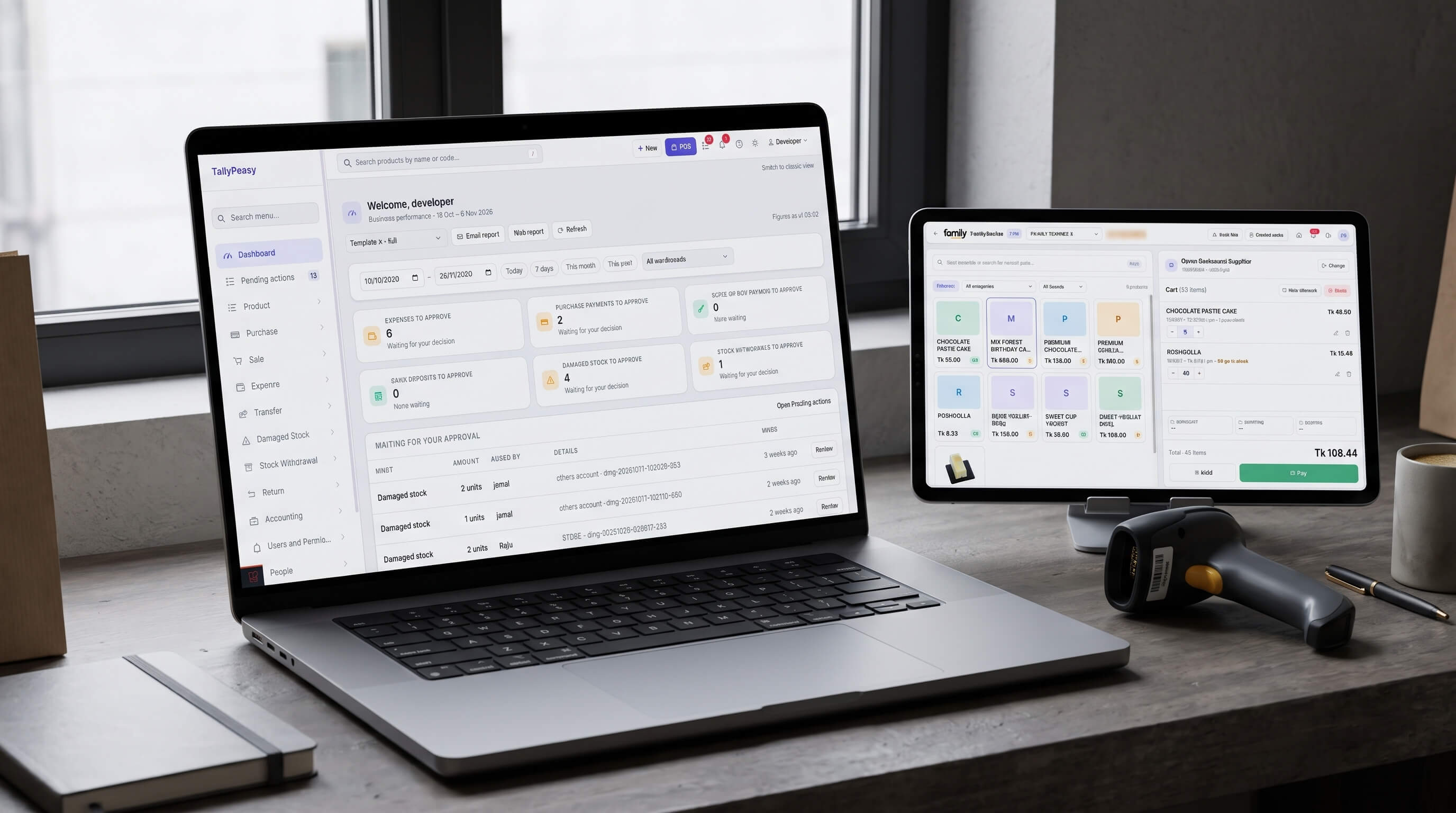
A multi-warehouse point of sale with stock control, accounting and an owner's health check, running the shops, warehouses and factory of Rosh Bilash and Family Market. Formerly AayKhata.
Overview
TallyPeasy (formerly AayKhata) is the system Rosh Bilash and Family Market use to sell at the counter, move stock between a factory, warehouses and shops, keep the books and see what needs attention. It began in February 2024 as an installed copy of SalePro, an off-the-shelf point-of-sale script. We rebuilt it, one working area at a time, into a multi-warehouse retail and back-office system that we host and keep improving.
The challenge. A business with a factory, several warehouses and many shops lives or dies on whether stock, cash and people agree across every location. The script knew how to sell. It did not know how to stop a double click from creating two transfers, tell the owner that a supplier balance was growing, or keep a cashier in one shop out of another shop's numbers.
What we built. Over 581 commits we added about 140,600 lines of authored code and removed about 72,600. That is more than the roughly 114,600 lines of the original install. The result covers a fast point of sale, transfers and transfer requests between locations, purchasing with returns and batches, an accounting ledger, approvals for damaged stock and stock taken out for use, a full set of reports, and an owner's view that points at the problem first.
The result. No duplicates have appeared on the live site since the fix, and the system is about 43% faster overall. The owner no longer finds out about duplicates, thin margins or stuck transfers by chance. The system checks for them, says how serious they are and links to the records behind them (details under "What changed for the business").
The TallyPeasy dashboard with sales, stock and the owner's health check
Feature list
Every item below traces to a commit, a staff guide or a developer document in the project history, grouped by what it does for the business.
| Area | What the business gets |
|---|---|
| Point of sale | Barcode scan or search, featured products that are in stock, held bills, recent sales with returns from the same screen, coupons, shipping, order discounts, loyalty points, weighing-scale barcodes, receipt and label printing, and the shop's cash balance in the header |
| Control at the till | A maximum discount for each role, a cost-price floor so nobody sells below cost by accident, payment methods set per role and per warehouse, and prices that cashiers cannot edit |
| Transfers | Send stock with a check against what is really free, add photos, receive or reject with a reason, print a slip for the POS printer or one combined memo, and see who did what |
| Transfer requests | A shop asks the factory for stock; the factory approves some or all lines, rejects the rest with a reason, and a change log keeps every step |
| Purchasing | Supplier, cost and selling price per line, batch numbers and expiry dates, photos of documents, payments with role limits, purchase returns in the same memo, safe editing and A4 printing |
| Stock integrity | One inventory ledger as the source of truth, a stock summary that follows it, a nightly check that emails the owner when they drift, and one "free stock" rule shared by the POS, transfers, products and reports |
| Stock taken out | Stock withdrawals for home, guests, staff or factory use with no cash or commission effect, and damaged-stock reports that need a reason and two approvals (or one admin) before stock leaves the books |
| Accounting | Accounts per warehouse, a general journal, add money, money transfers that re-check cash when received, expenses with photos and a cash check on save, supplier accounts, and a ledger with every filter the classic page had |
| Reports | Payment, product, product sale, warehouse stock, stock by supplier, supplier sales, supplier due and ageing, product expiry, profit and loss, margin watch, price history, stock withdrawals, discounts, and inventory transactions, with A4 print pages for the large ones |
| Owner's view | A dashboard with profit for the dates you pick compared with the period before, a "Where to look first" list, a daily sales trend, top sellers and warehouse split |
| Business Health | Eight checks (profit, cost data, supplier debt, expiry, low stock, items waiting for a decision, returns and write-offs, duplicates), each marked Act now, Keep watch or Healthy, with a button to the report behind it |
| Duplicate records | A report that lists every purchase or transfer reference used twice, shows each copy side by side and exports to CSV |
| Staff dashboard | "Waiting for you" boxes for transfers to receive, transfer requests, money transfers and expiring products in the user's own warehouse |
| Access and safety | Roles with fine-grained permissions, date windows per role (today, three days, unlimited), warehouse lock for staff, allowed IP addresses, lock after three failed sign-ins, one approved device per user with owner approval by email, and user impersonation for support |
| Daily report | An emailed per-warehouse business report for owners, queued so it never slows the shop |
| Help and releases | A searchable Help Center with 23 staff guides, a plain-language changelog for every version and a technical changelog with deploy steps |
| Quality | About 630 automated tests, Laravel 12, a Vite and Tailwind 4 front end, and a per-role switch that moves each screen to the new look without a big-bang release |
The development journey
The work came in four overlapping phases. Each one answered a problem the business was having that month.
1. Making the script fit the business (February to July 2024)
Challenge. A single-shop point of sale does not know about a factory that supplies shops, or about cashiers who should see only their own warehouse.
Solution. We took SalePro to version 4.7.1 and then reshaped it. Transfers gained notifications and a view of available stock. Product search learned warehouses, brands and categories. Staff were limited to their own warehouse and to recent days of data. We added a weighing-scale barcode label printer and shorter sessions on shared counters.
2. Putting money and stock on a ledger (August to November 2024)
Challenge. Reports read from numbers that were edited in place, so nobody could prove why a total was what it was.
Solution. We introduced an inventory ledger and an accounting layer: accounts, a general journal, supplier accounts, purchase payments, add money and money transfers. Transfers moved inside database transactions, over-sending was blocked by looking at what other pending transfers already took, and a rejection now needs a reason. Allowed IP addresses came in as a first access control.
3. Returns, requests and approvals (2025)
Challenge. Real shops return goods, break goods and run out. Each of those has to leave a trail and must not let one person move stock alone.
Solution. We built sale and purchase returns (including a return in the same memo as a new purchase), damaged stock, warehouse-specific prices and alert quantities, and the transfer request flow between shops and the factory, with partial approval and a change log. We tightened who may receive or reject a transfer, recorded who did what, and added indexes so the stock report stayed fast on hundreds of thousands of ledger rows.
4. Rebuilding it in the open (October 2026)
Challenge. An audit of production data showed that most problems came from creating records, not receiving them: the same document submitted twice, stock reports that drifted from the ledger, and no single place where the owner could see what was wrong.
Solution. In the first fortnight of October 2026 alone the project history records 167 commits. We stopped duplicate transfers and purchases at creation, kept the stock summary in step with the ledger with a nightly check, upgraded to Laravel 12 and moved screen by screen to a new Livewire interface behind a switch each role can be moved onto. Business Health, Duplicate Records, price history, damaged-stock approvals, batches and expiry, the daily emailed report and device approval were built in the same period, each with a staff guide and a changelog entry.
The TallyPeasy point of sale screen used at the counter
Feature highlights
The point of sale is built around the counter. Cashiers scan or search, see the stock on every line and cannot add more than exists. The owner decides, per role, how much discount is allowed, which payment methods appear and whether a sale may go below cost. Each payment method becomes its own accounting line, so the shop's cash balance in the header is the same number the books show.
A transfer is a promise, so the system counts promises. A shop can send only what is free: stock minus what its other pending transfers already take. The same free-stock rule drives the POS, the product list and the reports, so no screen disagrees with another. Receiving and rejecting are limited to the right warehouse and permission, and a rejection records why.
Shops ask, the factory decides. A transfer request lists what a shop needs and shows the factory's free stock beside it. The factory ticks the lines it can send and a transfer is created for just those; the rest are rejected with a reason. Every change is kept.
Nothing leaves the books without a reason. Stock withdrawn for the owner's home, a guest or the factory is recorded without touching cash or cashier commission. Damaged stock needs a reason and two staff approvals, or one admin, before it is written off.
The ledger is the source of truth. Stock is the sum of ledger movements. A summary table keeps reports fast and is updated every time a movement changes. Each night the system compares the two and emails the owner if they differ, so a drift is found within a day.
Money moves are checked where it counts. Cash is checked when an expense or money transfer is saved, on a locked account, so two people cannot spend the same cash together. A money transfer re-checks the sender's cash when it is received.
The owner sees problems before they grow. Business Health reads the data and says, in words, where to look first: low margin, products whose cost price cannot be trusted, supplier debt that is getting old, expired or expiring stock, items waiting too long for a decision, and duplicates. A short list of the worst items also sits on the dashboard.
Staff get a home page of their own. A shop user sees what is waiting for them: transfers to receive, requests to answer, money to confirm and products about to expire, limited to their warehouse.
The system explains itself. Each screen has a staff guide written for a cashier or manager, searchable from any page, and each release has a plain-language changelog. If a guide and the screen disagree, the staff are told the screen is right and to report the guide.
What changed for the business
These are the measured changes we can source. Figures are percentages only, from read-only checks of the live data.
| Problem we found | What we did | What changed for the owner |
|---|---|---|
| About 6 in 10 duplicate transfers (63%) had more than one copy received, so stock moved twice. Between January 2025 and 5 October 2026 the audit found 261 clusters of look-alike transfers and 165 of them were received more than once. | Added a guard on creating transfers and purchases, unique reference numbers, and a report that finds and opens every copy. | Duplicates are stopped at the door, and any that remain are listed with both copies side by side instead of surfacing as a stock mismatch weeks later. |
| Duplicate transfers were speeding up: September 2026 saw about 2.6 times the usual monthly number of duplicate clusters. | Fixed in the first week of October 2026 and shown on Business Health as Act now when any reference is used twice. | No duplicates have appeared on the live site since the fix, and the owner would be told the same day if one did. |
| Pages were slow on a database with hundreds of thousands of ledger rows. | Added indexes, merged queries, cached the owner's reports and loaded the dashboard in the background with a placeholder. | The system is about 43% faster overall than before the October 2026 optimizations. |
| About a quarter of active products (25%) had a cost price that could not be trusted: cost at or above price, or cost missing. Measured on 10 October 2026 with the Margin Watch rules. | Added Margin Watch, price history (who changed a cost or price, when, from what to what) and a rule that a selling price must be above cost. | The owner can see where a profit figure is unreliable and who changed the price behind it. |
| Stock reports sometimes disagreed with the ledger. | Made the ledger the single source, synced the summary on every change and added a nightly check with an email to the owner. | Reports now follow one rule, and drift is reported within a day. |
Sources: the duplicate audit of 5 October 2026 (read-only, production database), the Business Health run of 10 October 2026, the owner's check of the live site in October 2026 for the duplicate and speed results, and the commit history. Duplicate counts match content within 15 minutes, so a small share may be real repeat shipments.
Engineering by the numbers
From February 19, 2024 to October 10, 2026 the project history records 582 commits. Without the imported SalePro install, 581 commits add about 140,600 lines and remove about 72,600. Adjusted to a common PHP-equivalent measure, that is about 141,900 lines, and the effort is estimated at about 1,500 hours, or roughly 190 working days. The estimate range is wide (about 800 to 3,900 hours) because it is derived from commits, not time sheets.
The work ships in small, documented steps. The Help Center holds 23 staff guides and the developer notes 33 documents. Each release carries a staff changelog and a technical changelog with deploy steps. Roughly 630 automated tests cover permissions, stock rules, accounting and the reports, and each screen moves to the new look behind a switch so a role can be moved back.
What it adds up to
TallyPeasy now runs the counter, the warehouses, the books and the owner's morning check from one place. Staff see only what their role needs. Stock, cash and reports follow the same rules. The owner sees the problems first, with a link to the records behind each one. We host it, watch it and keep improving it with the people who use it every day.
More work
E-Zone HRM Limited · Platforms and portals
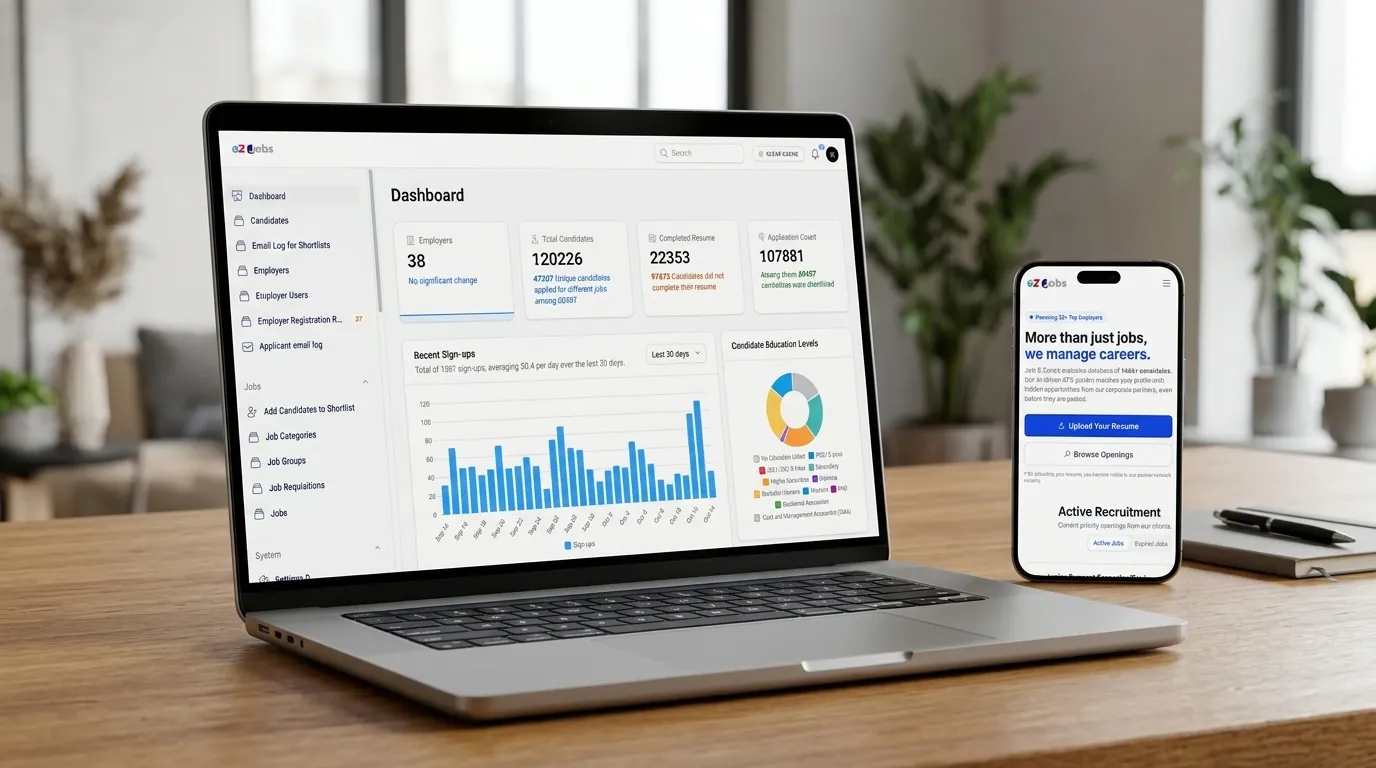
A job portal that holds more than 120,000 candidates and runs every shortlist
EZ Jobs BD: a job portal and applicant tracking system where candidates build resumes and apply, and employers and recruiters review, shortlist and invite.
- Laravel
- Livewire
- Filament
- Tailwind CSS
Bayanno.com · Platforms and portals, 2024
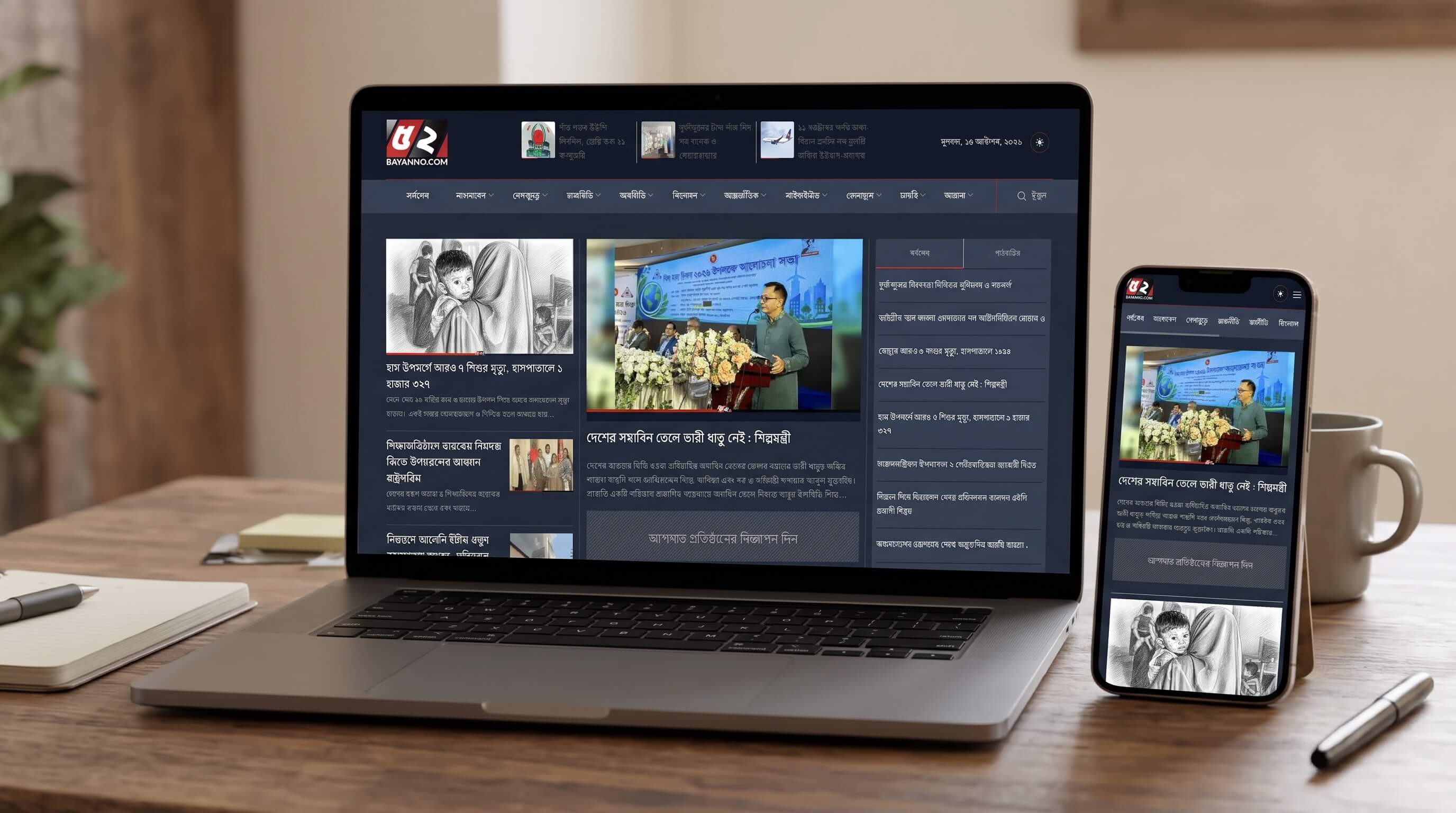
Rebuilding an abandoned news site into a Bengali portal we now run
A Bengali-language news website with a deep category structure, video reports and district news.
- Laravel
- Filament
- Livewire
- Tailwind CSS
Tell us what you want to build
A short message is enough. We reply within one working day with questions or a next step.